12th October 2026
Discover how Anders+Kern, working alongside a specialist integration partner and their customer, is helping a UK-based not-for-profit organisation transform its workplace experience through connected desk booking, real-time availability and smarter use of office space.

The customer is an independent, UK-based, not-for-profit organisation operating within the standards and data management sector, supporting businesses across retail, supply chains and online commerce.
With more than 100 locations globally, the organisation has been evolving its workplace strategy to better support flexible and hybrid working.
Having adopted Microsoft Places as part of its workplace technology environment, the customer wanted to introduce a physical desk booking experience that would complement its existing software.
The objective was to enable employees to quickly see which desks were available, identify upcoming reservations and make bookings directly at the workspace.
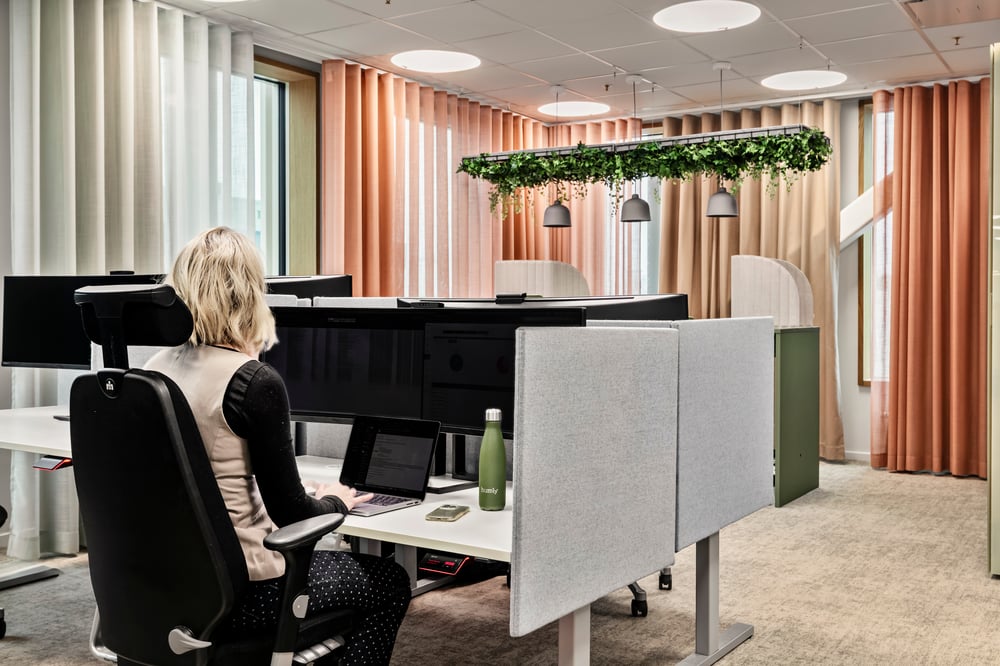
Bringing together the simplicity of Microsoft Places reservations with the intuitive, purpose-built hardware of Humly.
The customer selected the Humly Booking Device to provide a physical interface for desk booking while retaining Microsoft Places as its existing workplace booking environment.
Through Humly's integration with Microsoft 365, desk reservations synchronise between Microsoft Places and the devices, ensuring booking information remains accurate and visible throughout the workplace.
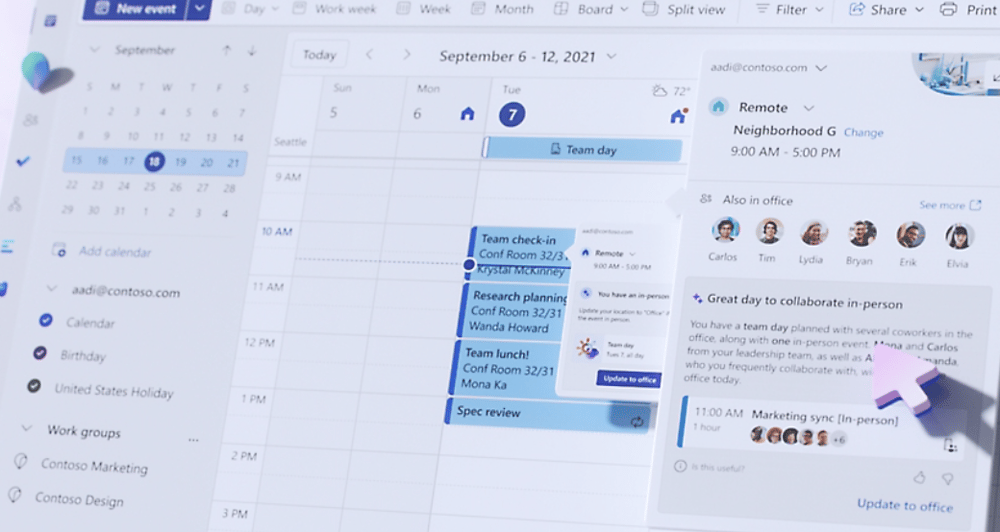
Desk reservations, floor plan booking, check-in policies and workplace analytics within the Microsoft ecosystem.
Live desk status, upcoming reservations and intuitive booking directly from the physical workspace.
Microsoft Places helps employees coordinate their working days and manage workplace reservations using familiar Microsoft tools.
With booking capabilities integrated into the wider Microsoft 365 environment, users can plan when and where they work, while Humly provides the corresponding physical desk-side experience.
This approach allows the customer to build on its existing investment in Microsoft technology.
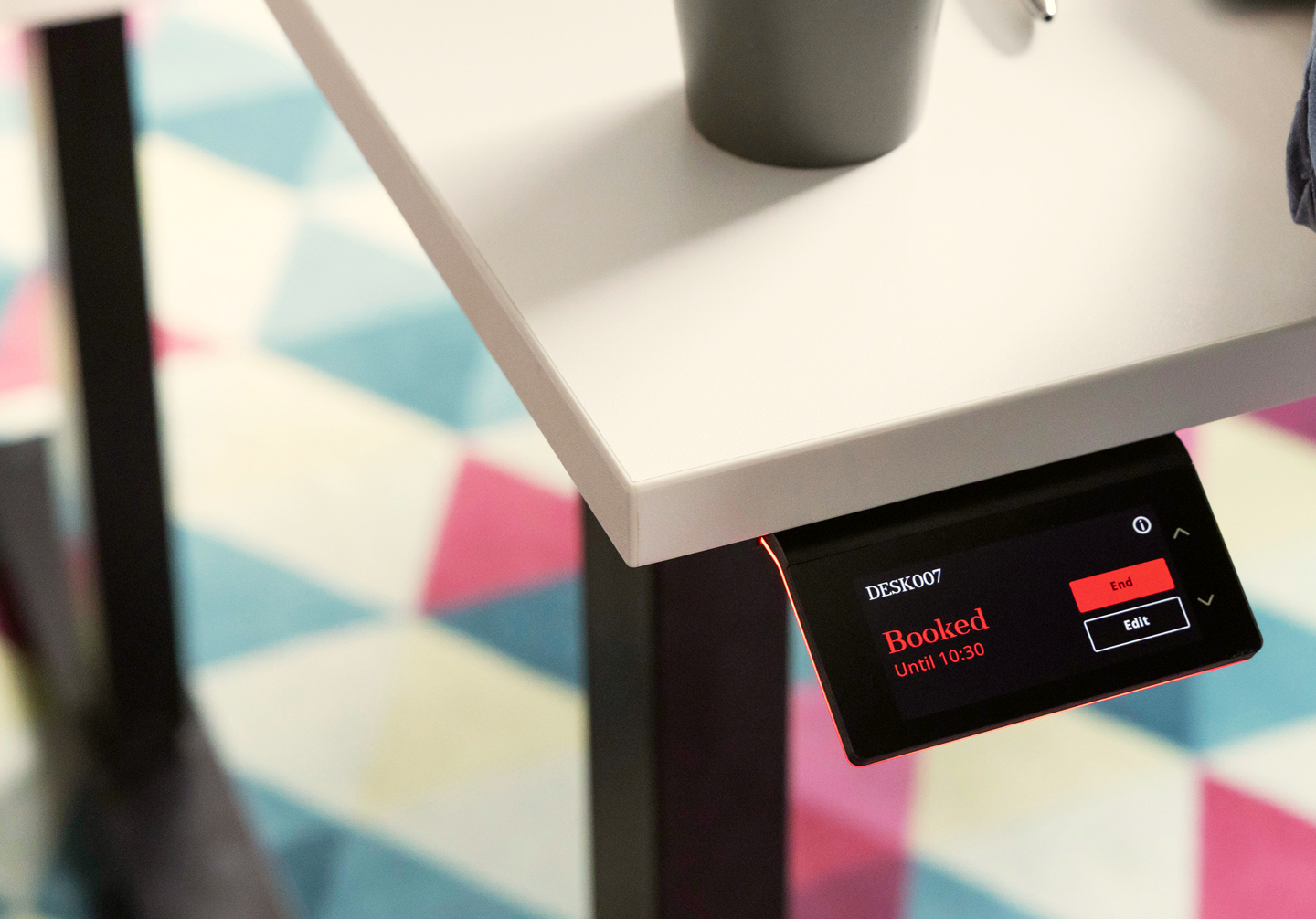
With Humly Booking Devices positioned at the workspace, employees can quickly identify whether a desk is available, expecting an upcoming booking or currently occupied.
The devices use a clear touchscreen interface and distinctive coloured lighting to communicate desk status at a glance.
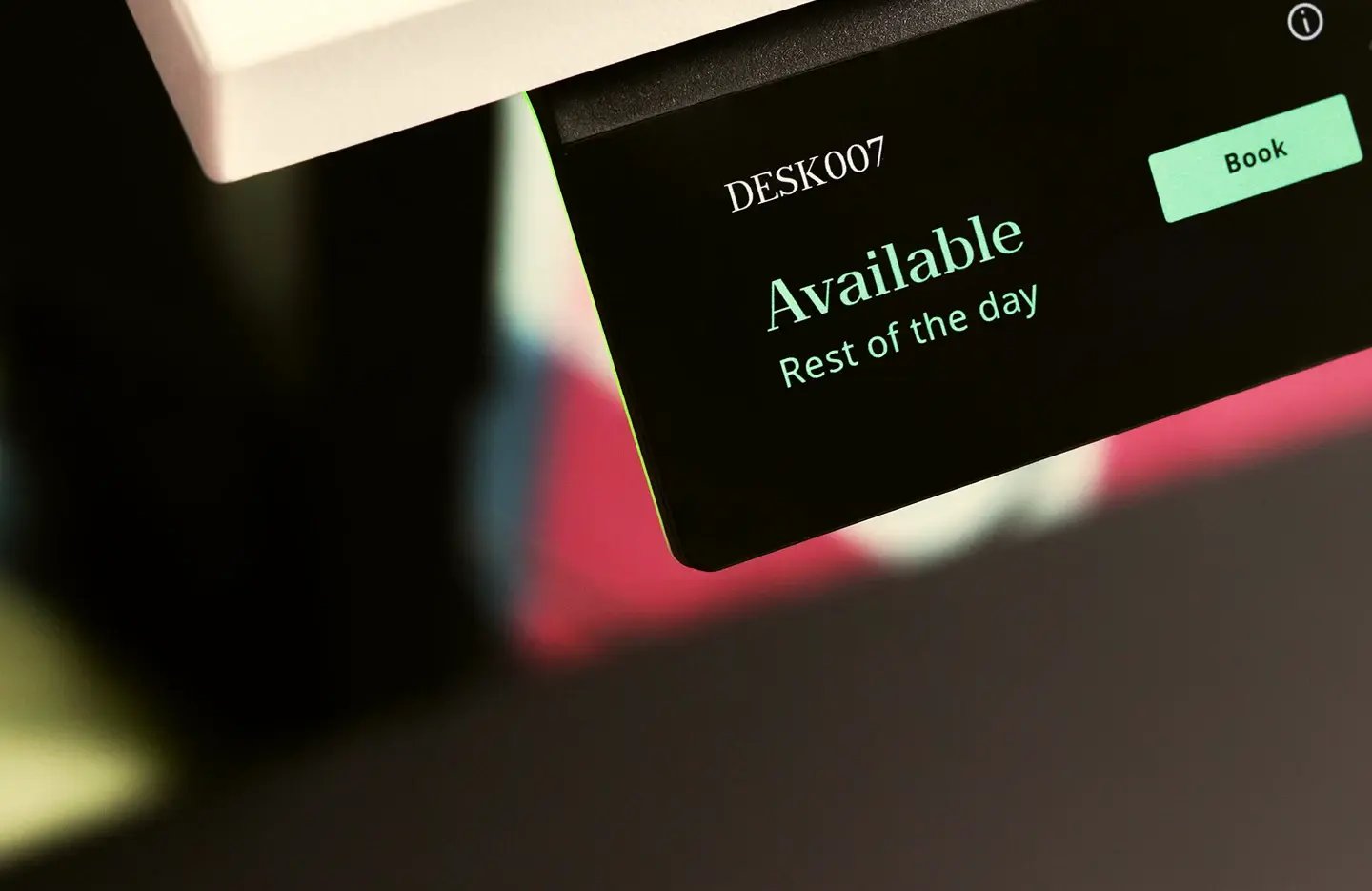
Desk ready for booking.
Reservation approaching or check-in required.
Desk currently reserved or in use.
Upcoming booking information is also shown on the devices, allowing employees to understand when a desk will next be required.
This visibility helps remove uncertainty around shared desks and provides an easier, more transparent booking experience.
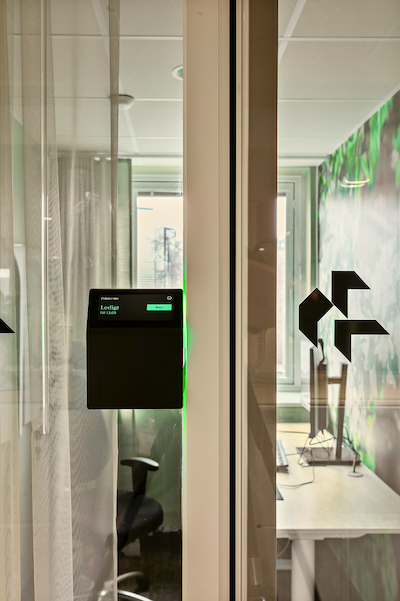
A major factor in the customer's decision was the appearance and physical design of the hardware.
Humly was chosen for its sleek, modern and unobtrusive aesthetic, allowing the devices to complement contemporary working environments.
The Humly Booking Device combines an intuitive touch interface with visible status lighting, creating a practical and visually appealing desk booking solution.
The deployment combines physical booking hardware with intelligent features within Microsoft Places, creating a more connected experience for employees and facilities teams.
Reservations made in Microsoft Places appear on the Humly devices, keeping physical workspaces aligned with the booking system.
Employees can reserve a desk from Microsoft Places or directly through the Humly Booking Device.
Microsoft Places docking station integration is used to support automatic check-in when an employee connects at their desk.
Unclaimed reservations can be released after the configured one-hour check-in grace period.
Microsoft Places floor plans allow users to locate and reserve suitable desks.
Booking, occupancy and ghost booking data will help inform workplace utilisation analysis and future planning.
An important part of this implementation is the use of automatic desk check-in through the customer's Microsoft Places environment.
By using supported docking station integration, employees can be checked in automatically when connecting at their reserved workspace, reducing the need for additional manual steps.
This helps keep booking information aligned with actual desk use, supporting a smoother workplace experience for employees.
The Humly Booking Device provides the complementary desk-side interface, keeping reservation details and availability visible where they matter.
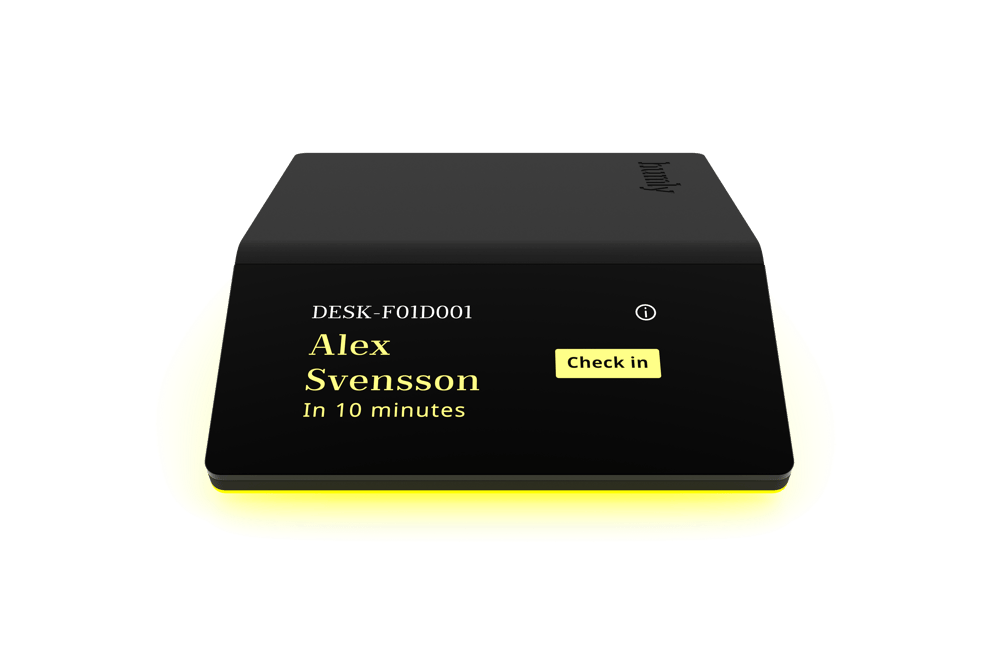
One of the challenges of flexible desk booking is the "ghost booking" – a workspace reserved by an employee but never actually used.
These unused reservations can make desks appear unavailable even when they are physically empty, reducing the effective capacity of the workplace.
To address this, the customer is using Microsoft Places check-in and automatic cancellation policies.
Employees are provided with a one-hour grace period to check in to their reserved desk. If the reservation remains unclaimed, Microsoft Places can automatically cancel the booking and return the desk to the pool of available resources.
Together with real-time desk status displayed by the Humly hardware, this supports more accurate availability, fewer wasted reservations and a better experience for employees.
The project has now progressed to its second operational location, demonstrating the customer's continued adoption of the Humly and Microsoft Places solution.
The longer-term objective is to expand the deployment across additional floors, office locations and shared working areas.
As employees become familiar with the existing desk booking solution, the customer intends to expand its workplace capabilities to include meeting room booking.
This represents a natural next step in creating a more connected workplace, bringing additional spaces into a consistent digital booking experience.
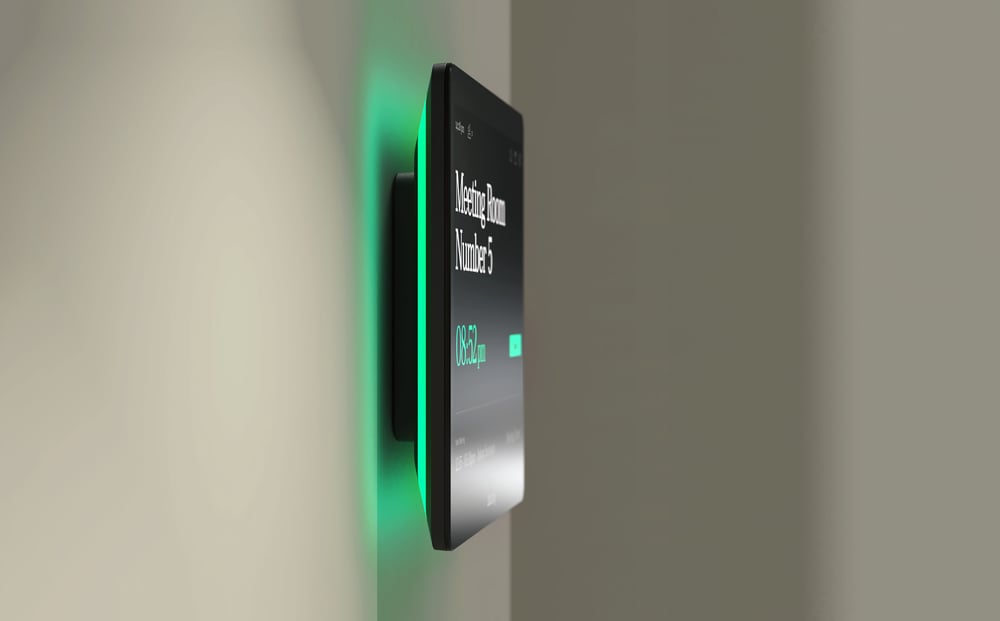
Humly's wider workplace portfolio includes room displays, booking devices and complementary workspace management technologies.
These provide opportunities for continued development as the customer's requirements evolve.
As the deployment expands, workplace analytics will become an increasingly important part of the customer's strategy.
By monitoring desk reservations, occupancy information and ghost booking activity, the organisation intends to build a clearer picture of how its office space is being used.
Microsoft Places provides workplace analytics capabilities that can help organisations understand space utilisation and support more informed workplace decisions.
These insights will help support decisions around workspace requirements, resource allocation and future investment in workplace technologies.
Importantly, the customer is taking an evidence-based approach to assessing return on investment, with the intention of measuring longer-term value as adoption continues.

The integration between Humly and Microsoft Places provides a foundation on which organisations can build increasingly connected workplace experiences.
Booking information, physical workplace technology and occupancy intelligence can complement one another to provide a more complete understanding of how shared spaces are used.
The following Humly infographic illustrates the wider potential of connecting workplace reservations, sensor-based information and Microsoft Places.
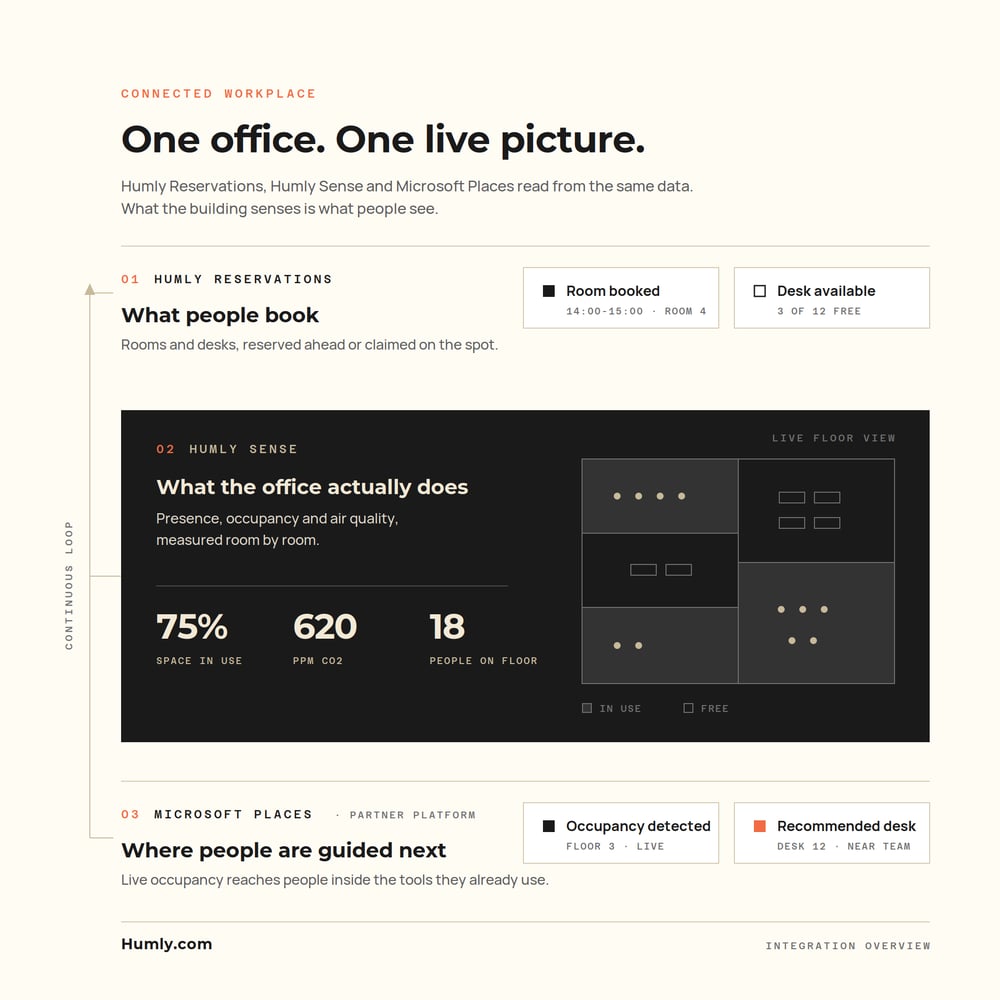
Looking ahead: This infographic demonstrates the broader capabilities available within the Humly ecosystem, including Humly Sense and sensor-based workplace intelligence. These are potential complementary technologies and are not presented as part of the customer's confirmed current installation.
For this customer, the immediate priority remains expanding the existing desk booking experience and establishing meaningful utilisation data that can support evidence-based future decisions.
Successfully delivering a connected workplace solution requires more than selecting the right technology.
It relies on close collaboration between the customer, integration specialists and technology partners.
Throughout this project, Anders+Kern has been working closely with the integration partner and the customer to support the implementation of Humly alongside the customer's existing Microsoft Places environment.
This collaborative approach has helped support a smooth deployment, responsive technical assistance and a clear route for addressing requirements as the solution evolves.
As a UK distributor of Audio Visual and Workspace Technologies, A+K continues to work alongside its reseller and integration partners to bring complementary technologies together, helping customers create more connected, efficient and intelligent workplaces.
The combination of Humly Booking Devices and Microsoft Places demonstrates how existing workplace software can be enhanced with purpose-built hardware to provide a more intuitive and transparent desk booking experience.
With two locations already operational, the customer now benefits from live desk availability, flexible reservations and automated check-in workflows, supported by the ongoing collaboration between Anders+Kern, the integration partner and the customer.
As the rollout continues, the focus will move towards greater workplace visibility, improved resource utilisation and using real occupancy evidence to support long-term investment decisions.
Whether you're exploring desk booking, meeting room management or a more connected workplace experience, Anders+Kern can help you and your integration partners identify the right technologies for your project.
