Scan. Check availability. Book. A fast and hardware-free way to bring workplace booking directly to rooms, desks and shared spaces.
Humly QR Booking allows employees to scan a QR code using their phone and immediately access live booking information through Humly Reservations.
No dedicated booking panel and no additional application installation is required.

Not every desk or shared space requires a dedicated booking device.
Humly QR Booking provides a lightweight alternative by connecting a unique QR code directly with an individual workplace resource.
Employees simply scan the code and Humly Reservations opens in their browser, showing the live status of that specific resource.
The user experience is deliberately simple, removing unnecessary steps from everyday workplace booking.
Scan the QR code positioned at the desk, room or workplace resource.
Humly Reservations opens and shows the resource's current availability.
Confirm an instant booking or choose an available time that suits you.
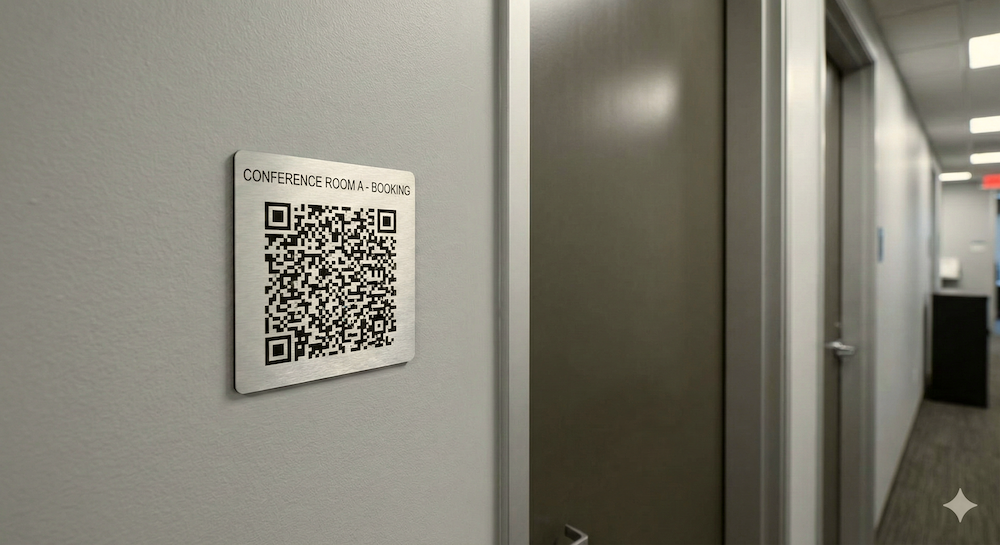
QR codes can be positioned directly at the physical resource, creating an immediate link between the workplace and Humly Reservations.
This can provide booking functionality in areas where installing a screen or dedicated booking device would be unnecessary.
A QR code can be associated with different types of shared resources, helping create a consistent booking experience without adding hardware everywhere.
Position a QR code at a shared desk so employees can claim it on arrival.
Add instant booking beside rooms without installing a dedicated room panel.
Add lightweight booking to focus spaces and small individual rooms.
Connect individual parking resources with workplace reservations.
Humly provides flexibility in how QR codes are created and deployed throughout the workplace.
Static codes are ideal for permanent resources such as desks and meeting rooms, while dynamic approaches can support temporary or more flexible environments.
Administrators can generate and manage QR codes through Humly Control Panel and download them for physical deployment.

Employees can move from scanning to booking in just a few steps.
Reduce the need for dedicated booking displays across every resource.
Extend booking to large numbers of workplace resources cost-effectively.
Access reservations through a compatible mobile web browser.
Support users across international workplace environments.
API capabilities help connect booking with wider workplace systems.
The QR code itself is only the entry point. Once scanned, the user is taken directly into the Humly Reservations experience for that specific workplace resource.
Live availability, upcoming reservations and booking management remain connected with the wider Humly platform.
This means organisations can add a lightweight physical booking touchpoint without creating a separate booking system.

A concise overview of the core requirements and integration options for Humly QR Booking.
Speak to the A+K team about Humly QR Booking, desk and room booking, Humly Reservations, licensing and deployment across your workplace.
Contact A+K