Simple workplace booking for rooms, desks, parking and shared resources — available from your browser, mobile device or directly inside Microsoft Teams.
Humly Reservations gives employees one intuitive place to find what they need, check availability and make a reservation without unnecessary complexity.

Hybrid working has introduced far more choice into the workplace, but finding and booking the right resource should remain simple.
Humly Reservations gives employees an intuitive view of available resources and allows bookings to be created, changed or cancelled from one consistent interface.
Employees can search by location, capacity and available facilities, making it easier to select the space that best matches the task at hand.
Humly Reservations can bring different types of shared workplace resources into the same straightforward booking experience.
Find the right room based on availability, location, capacity and facilities.
Reserve a workspace before arriving or find an available desk while in the office.
Manage workplace parking through the same familiar reservation process.
Extend workplace booking to other resources that need to be reserved and managed.

QR Booking gives organisations a simple way to extend Humly Reservations directly into the physical workplace without installing dedicated hardware at every resource.
A QR code can be positioned at a desk, room or parking space. Employees simply scan it using their phone to see the current availability and make an instant reservation.
A successful meeting may require more than a room. Humly Services allows additional workplace requirements to be added as part of the reservation process.
Employees can request services such as catering, room supplies and other meeting requirements without separating them from the original booking.

Humly Reservations can be accessed directly from Microsoft Teams, helping employees manage workplace bookings without switching between multiple systems.
Microsoft Single Sign-On provides straightforward access, while users can also create a Teams meeting as part of the room-booking process.
This brings physical workplace reservations and digital collaboration closer together within one familiar user environment.
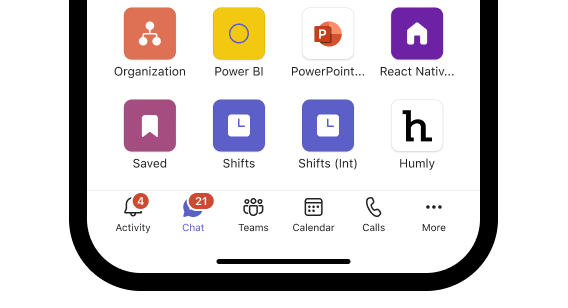
Humly Reservations combines everyday workplace booking with useful functionality for employees, facilities teams and workplace administrators.
Locate colleagues in the office and find nearby spaces when planning collaboration.
Give approved external users access to book selected workplace resources when required.
Access workplace reservations within Teams using Microsoft Single Sign-On.
Add instant mobile booking to workplace resources without dedicated hardware.
Resources can be managed within Humly without relying on an external calendar platform.
Open API capabilities support connection with wider workplace technology systems.
Behind the simple employee experience, Humly provides management tools designed to support larger workplace deployments.
Manage workplace resources across multiple offices from a central environment.
Integrate workplace users with an existing directory environment.
Access monitoring and statistics to better understand workplace activity.
Keep booking information synchronised with connected workplace systems.
Integrate Reservations with third-party systems and workplace applications.
Support for more than 30 interface languages helps with international deployments.

Humly Reservations becomes even more powerful when used alongside the wider Humly workplace ecosystem.
A reservation created through the web or Microsoft Teams can be reflected on Humly Room Display, Booking Device and other workplace touchpoints, creating a consistent experience from planning through to arrival and check-in.
Speak to the A+K team about Humly Reservations, room and desk booking, parking management, Microsoft Teams integration and licensing for your workplace.
Contact A+K