Door Tablet

Complete workspace management for rooms, desks and wayfinding

Door Tablet is a flexible workplace management platform designed to connect room booking, hot desks, wayfinding and smart building technology with the scheduling systems organisations already use. From meeting room displays through to floorplans, desk booking and workplace automation, Door Tablet helps create a clearer and more efficient workplace experience.
Room Booking Hot Desking Wayfinding Floorplans ePaper Smart Building
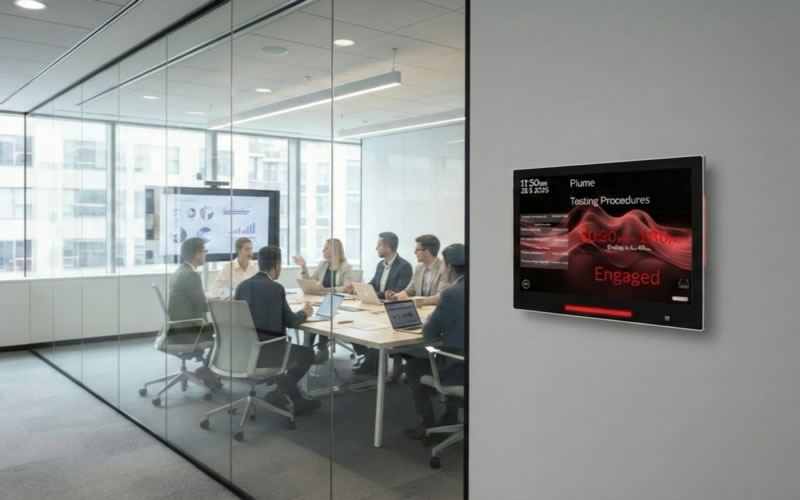
Door Tablet room booking display outside a meeting room
Workspace Management

Bring workplace resources together in one connected solution

Door Tablet combines software, displays and workplace technology to help users understand what spaces are available and make reservations quickly. Organisations can manage meeting rooms, desks, floorplans and supporting technologies within a coordinated workplace environment.

Room Management Display live room status, manage reservations and give employees greater control of meeting spaces.
Flexible Desks Support hybrid working with bookable desks and simple visibility of available workspaces.
Wayfinding Help users locate rooms and desks through interactive floorplans and larger workplace displays.
Smart Automation Extend workspace management with sensors, RFID, access control and connected building technology.
Door Tablet Solutions

More than meeting room booking

Door Tablet covers a broad range of workplace requirements, allowing organisations to build a solution around the way their employees, visitors and facilities teams use physical space.

01

Room Booking

Display room status clearly, create reservations, check into meetings and manage availability directly at the meeting space.

02

Hot Desks

Help flexible workers find and reserve suitable desks while improving visibility of workplace availability.

03

Wayfinding

Provide clear visual guidance around the workplace while showing current and future availability of rooms and resources.

04

Interactive Floorplans

Give users a visual overview of the workplace and allow rooms or desks to be selected directly from the floorplan.

05

ePaper

Extend room and desk management to low-power ePaper displays where traditional powered screens may not be practical.

06

Digital Signage

Use workplace displays for information, communications, meetings, schedules and other useful content across the organisation.
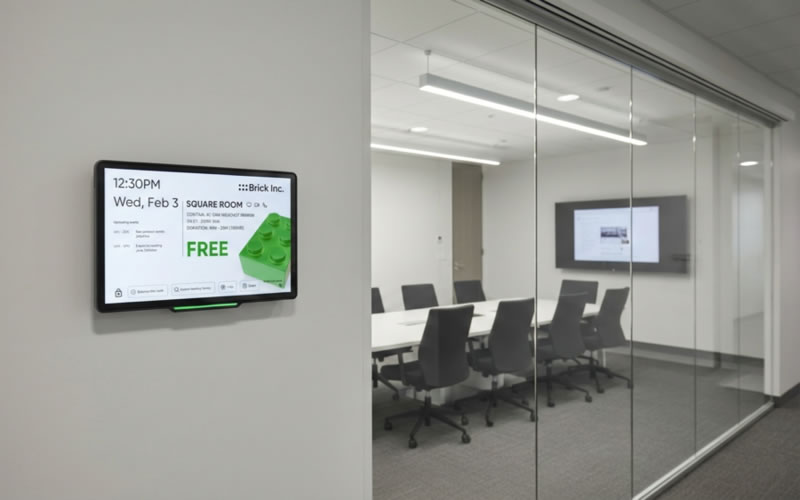
Door Tablet room booking panel showing an available meeting room
Room Booking

Make room status instantly understandable

Door Tablet places real-time room information directly outside the meeting space. Colour-coded displays make availability visible from a distance while users can interact with the system to book, extend or release a room.
Clearly display whether a room is available or occupied.
Reserve rooms directly from supported room displays.
Extend an existing meeting or release a room early.
Automatic check-in and no-show workflows help reduce wasted space.
Room status can be reflected through integrated LED indicators.
Door Tablet cluster view showing room availability
Network-Wide Visibility

Find more than the room directly in front of you

Door Tablet can provide visibility across multiple rooms and resources rather than limiting the user to a single meeting space. This helps employees find alternatives quickly when nearby rooms are already occupied.

See nearby room and resource availability.
Display current and upcoming reservations.
Book another available space from a supported display.
Provide wider visibility across departments, floors or buildings.
Hot Desking

Give hybrid workers an easier way to find a place to work

Door Tablet extends workplace booking beyond meeting rooms. Flexible desks and shared workspaces can be made visible through floorplans and booking interfaces, helping employees arrange their day before arriving or while moving around the office.
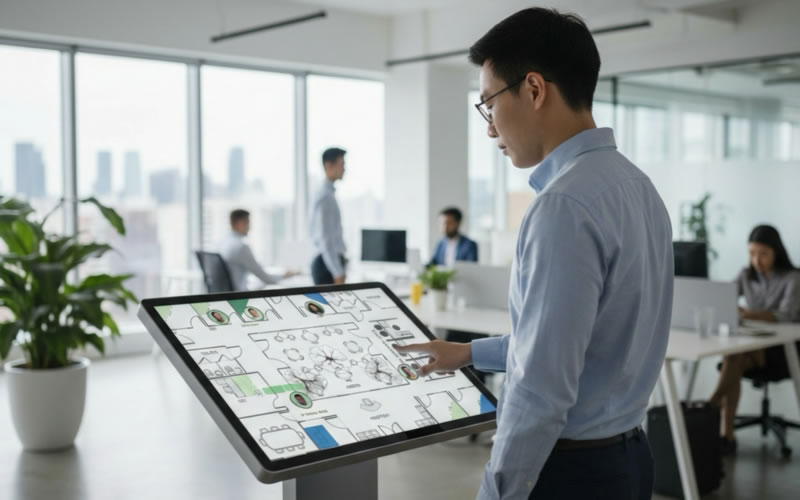
Door Tablet hot desk and floorplan booking kiosk
Find Available Desks Give employees a visual way to identify free desks within the office.
Support Hybrid Working Make shared workplaces easier to use when employees attend the office on different days.
Reduce Double Booking Booking controls can help avoid users being assigned to multiple workspaces at the same time.
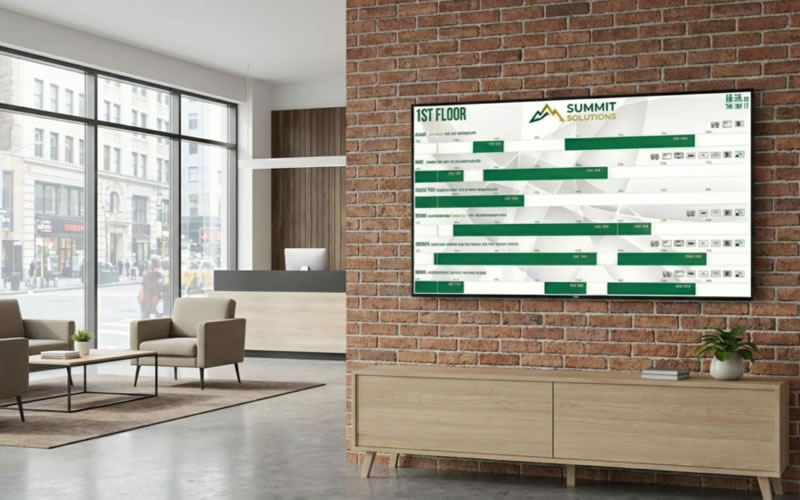
Door Tablet large wayfinding and workplace status display
Wayfinding & Floorplans

Help people find the right space faster

Larger Door Tablet displays can provide a central view of workplace activity, helping employees and visitors find rooms, desks and scheduled activities without needing to search around the building.

Interactive or view-only wayfinding displays.
Visual floorplans for rooms and desks.
Cluster views for groups of nearby resources.
Airport-style schedules for current and future meetings.
Suitable for reception areas, lobbies and shared workplace zones.
Customisable Experience

Make Door Tablet part of your own workplace identity

Door Tablet provides extensive customisation options so the booking experience can reflect the organisation using it. Displays can be adapted through layouts, colours, backgrounds, terminology and content rather than forcing every customer into the same visual design.
Door Tablet customisable room booking interface
Brand Colours Adapt colours and visual elements to better match the organisation's identity.
Flexible Layouts Adjust screen layouts and information according to the needs of different spaces.
Custom Terminology Modify wording and terminology so the system feels natural to the organisation using it.
Smart Building Technology

Add automation around the booking experience

Door Tablet can connect workplace reservations with wider smart-building technologies. This creates opportunities to automate check-in, improve utilisation data and reduce the amount of manual interaction required from users.

01

RFID

Supported professional devices can use RFID for quick identification and workplace interactions.

02

Motion Sensors

Occupancy information can help validate whether reserved spaces are actually being used.

03

Access Control

Integrations can help connect scheduled access requirements with the wider workplace environment.

04

Air Quality

Environmental monitoring can be incorporated as part of a wider connected workplace deployment.

05

Automatic Release

Unused rooms can be released automatically to improve actual space availability.

06

Analytics

Booking and utilisation data can help facilities teams better understand workplace demand.

Scheduling Integrations

Connect Door Tablet with the systems employees already use

Door Tablet integrates with established scheduling environments so workplace bookings can remain connected with familiar calendars and collaboration tools rather than operating as an isolated booking system.

Microsoft 365 Connect room resources and workplace reservations with Microsoft 365 scheduling.
Microsoft Exchange Support Exchange-based room and resource scheduling environments.
Google Workspace Integrate workplace resources with Google scheduling environments.
Conferencing Create supported Teams, Zoom or Google Meet conference meetings from booking workflows.

Cloud or on-premise deployment

Door Tablet can support both cloud-based and on-premise environments, helping organisations select a deployment model that fits their infrastructure, security and operational requirements.

Door Tablet with Qbic & IAdea

Combine Door Tablet software with professional workplace hardware

Through A+K, Door Tablet can form part of a wider workplace solution using professional Qbic and IAdea hardware. This gives integrators greater choice when matching software functionality with the physical devices required around meeting rooms, desks and shared workplace areas.

Door Tablet workspace software on professional room display hardware

Room Booking Displays

Combine Door Tablet with purpose-built commercial room booking hardware to provide reliable, always-on scheduling displays outside meeting spaces.

Door Tablet floorplan and wayfinding solution

Desks & Wayfinding

Extend the same Door Tablet environment across desk booking, floorplans, kiosks and large workplace wayfinding displays.

Qbic Technology Door Tablet and Qbic provide a combination of workplace management software and purpose-built commercial booking hardware.
IAdea Door Tablet supports professional IAdea devices for room booking and workplace applications.
A+K Support A+K can help combine the software and hardware elements into a solution suitable for the customer's project.
Flexible & Scalable

From a few rooms to a wider workplace deployment

Door Tablet is designed to scale across different workplace requirements. Organisations can start with individual room booking displays and extend the same environment across additional rooms, desks, floors and sites as requirements grow.

Central Management Manage workplace devices and resources through a coordinated Door Tablet environment.
Business Rules Configure booking behaviour around the way individual organisations operate.
Multiple Locations Extend room, desk and wayfinding functionality across larger estates and multiple sites.
Usage Analytics Review booking and resource information to gain a clearer understanding of workplace demand.
Flexible Hardware Select hardware appropriate to the room, desk, kiosk or wayfinding requirement.
Custom User Experience Adapt layouts, terminology and workflows to better match each deployment.
Door Tablet through A+K

Software and workplace hardware from one distribution partner

Door Tablet complements A+K's wider Workspace Technology portfolio by providing a flexible software layer that can integrate with professional booking hardware. A+K can help reseller and integration partners bring together Door Tablet, Qbic, IAdea and supporting workplace technologies as part of a complete customer solution.

Solution Specification Help select suitable software functionality and workplace hardware for the customer requirement.
Hardware Choice Combine Door Tablet with suitable Qbic, IAdea and complementary workplace devices.
Channel Support Support resellers and integrators with product selection, solution design and project requirements.
Talk to A+K

Discover Door Tablet for your next workspace project

Whether you are looking at meeting room booking, hot desks, wayfinding, workplace displays or a wider smart workplace deployment, speak to A+K about Door Tablet and the Qbic and IAdea hardware options available to build a complete solution.

A+K UK Ltd (HQ)