ResourceXpress is a centralised workplace booking platform designed to help organisations manage meeting rooms, desks, huddle spaces and other workplace resources more efficiently. Combining flexible software, interactive maps, room and desk hardware and integrations with familiar scheduling platforms, ResourceXpress provides employees with freedom to book resources in the way that works best for them.

ResourceXpress provides a central layer between workplace resources, booking interfaces and the calendar systems organisations already use. Employees can book from room displays, desk devices, interactive maps, Microsoft Teams or mobile interfaces while administrators retain central control over the wider deployment.
ResourceXpress combines multiple ways of booking and managing workplace resources so employees are not restricted to one application or interface.
View room availability, create instant reservations, check in, check out and extend meetings directly from supported room displays.
Reserve desks and agile workspaces through booking applications, maps, kiosks and supported desk devices.
Give Microsoft Teams users direct access to workplace reservations, colleague visibility and interactive maps.
Use interactive workplace maps to search for rooms, desks, colleagues and existing reservations.
Check-in workflows can automatically release unused rooms and desks back into the available resource pool.
Use reservation, attendance and no-show information to better understand how workplace resources are used.

ResourceXpress room booking solutions provide clear visibility of room status outside the meeting space while allowing employees to interact with reservations directly at the point of use.
ResourceXpress provides different software licence options to suit deployments ranging from straightforward meeting room displays through to full interactive workplace booking and floorplan environments.
Provides core interactive room functionality including booking, check-in, check-out and meeting extensions.
Extends room booking with interactive maps, floorplans, Qkiosk and Qsign functionality.
Manage desks, flexible workplaces and spaces where dedicated room booking screens are not required.

ResourceXpress helps organisations manage hot desks, agile workplaces and shared spaces while giving employees clear visibility of where they can work.
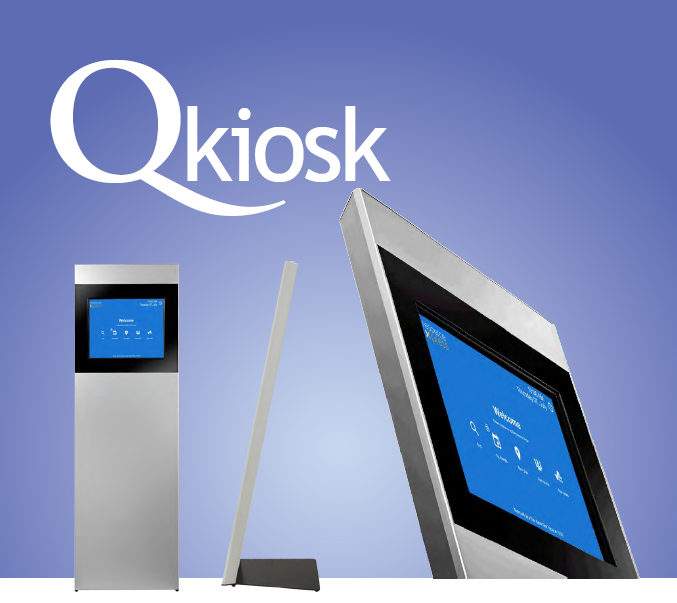
Qkiosk provides a central workplace view using interactive maps. Users can search for suitable resources, locate existing reservations or identify where colleagues are working before making a booking.

RX Work Places V2 gives employees access to ResourceXpress directly inside Microsoft Teams. Users can view who is attending the office, find colleagues, explore workplace maps and reserve desks or meeting spaces without needing to switch between applications.
A room or desk being reserved does not always mean it is actually being used. ResourceXpress can use check-in controls to confirm attendance and release reservations when users fail to arrive, making the resource available to somebody else.
Users can confirm attendance through supported booking screens, devices and interfaces.
If a reservation is not confirmed within the configured period, the resource can be freed.
Supported room and desk devices can provide fast authenticated check-in using RFID credentials.
Supported room screen deployments can provide QR-based touchless booking and check-in workflows.
Compatible hardware can support digital credentials from Apple Wallet and Google Wallet.
Releasing unused reservations allows more employees to access spaces that would otherwise appear occupied.
ResourceXpress is designed to work alongside existing calendaring and booking systems rather than forcing users into a completely separate workflow. It can also connect to multiple booking environments at the same time, which can be useful during platform migrations.
ResourceXpress can operate with leading calendar platforms, advanced booking systems or in a local-only configuration. This flexibility can make it suitable for organisations with mixed environments or those transitioning between booking platforms.
ResourceXpress can connect its central booking software with dedicated room displays, desk booking devices and kiosks, giving users access to workplace information exactly where they need it.
Provide real-time room availability, instant booking, check-in and reservation controls directly outside the room.
Give flexible workers clear local desk status, authentication and booking controls at the point of use.
Booking information becomes more valuable when organisations can compare reservations with actual attendance. ResourceXpress reporting can help workplace teams identify no-shows, analyse resource utilisation and make more informed decisions about workplace capacity.
ResourceXpress can support different deployment requirements, allowing organisations to select an approach that better fits their existing IT environment and workplace strategy.
ResourceXpress complements A+K's wider Workspace Technology portfolio by providing a flexible booking and management platform capable of working across room displays, desk devices, kiosks and familiar calendar environments. A+K can help reseller and integration partners build the right combination of software and hardware around each customer's requirements.
Whether the requirement is meeting room booking, desk booking, Microsoft Teams workplace management, interactive floorplans or a wider hybrid-working deployment, speak to A+K about ResourceXpress and the available software and hardware options.
